Email: brqyvn@gmail.com
Hi Photographer friends,
The Pentax KP eBook is now available on Ebooks4cameras.com


Hi Photographer friends,
The Pentax KP eBook is now available on Ebooks4cameras.com


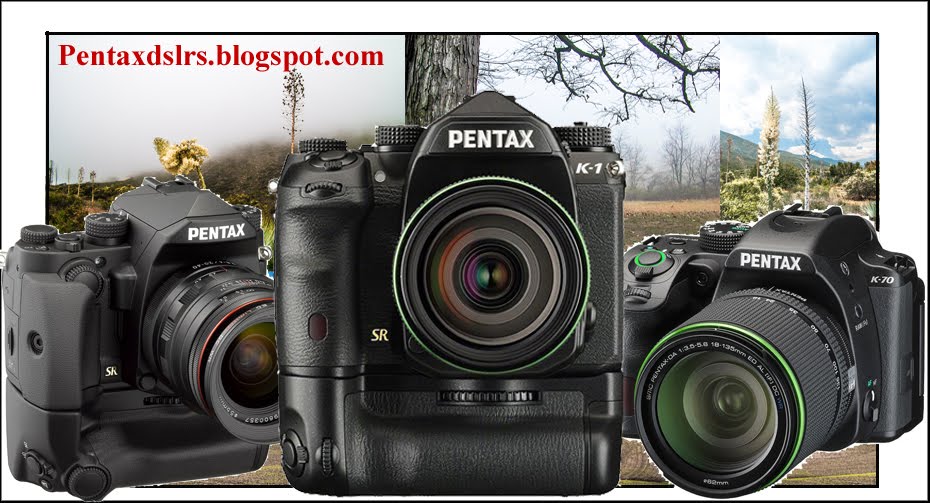
Model Description
|
|
Type
|
TTL autofocus, auto-exposure SLR digital-still camera with built-in retractable P-TTL flash
|
Lens Mount
|
PENTAX KAF2 bayonet mount (AF coupler, lens information contacts, K-mount with power contacts)
|
Compatible Lens
|
KAF4, KAF3, KAF2 (power zoom not compatible), KAF, KA mount lens
|
Image capture unit
|
|
Image Sensor
|
Primary color filter, CMOS. Size: 23.5 x 15.6 (mm)
|
Effective Pixels
|
Approx. 24.32 megapixels
|
Total Pixels
|
Approx. 24.96 megapixels
|
Dust Removal
|
Image sensor cleaning using ultrasonic vibrations "DR II"
|
Sensitivity
(Standard output) |
ISO AUTO / 100 to 819200 (EV steps can be set to 1EV, 1/2EV or 1/3EV)
|
ISO AUTO Setting
|
ISO Range (Maximum), ISO Range (Minimum)
ISO Sensitivity Options (AUTO, Tv) Minimum Shutter Speed (AUTO: SLOW/MIDDLE/FAST, TV: 1/6000 to 30 sec.) |
Image Stabilizer
|
Sensor-shift shake reduction (SRII)
|
AA Filter Simulator
|
Moiré reduction using SR unit. OFF/Type1/Type2/Bracket (2 frames)/Bracket (3 frames)
|
File formats
|
|
File format
|
RAW (PEF/DNG), JPEG (Exif 2.3), DCF2.0 compliant
|
Recorded Pixels
|
JPEG: L(24M:6016x4000), M(14M:4608x3072), S(6M:3072x2048), XS(2M:1920x1280)
RAW: (24M:6016x4000) |
Quality Level
|
RAW (14bit): PEF, DNG
JPEG:★★★ (Best), ★★ (Better), ★ (Good), RAW + JPEG simultaneous capturing available |
Color Space
|
sRGB, AdobeRGB
|
Storage Medium
|
SD, SDHC and SDXC Memory Card (Conforms to USH-I standards)
|
Storage Folder
|
Folder Name: Date (100_1018,101_1019...) or User assigned folder name (Default "PENTX")
|
Recording File
|
File Name: "IMGP****" or User assigned file name
File name numbering: Sequential, Reset |
Viewfinder
|
|
Type
|
Pentaprism Finder
|
Coverage (FOV)
|
Approx. 100%
|
Magnification
|
Approx. 0.95x (50mmF1.4 at infinity)
|
Eye-Relief Length
|
Approx. 20.5mm (from the view window), Approx. 22.3mm (from the center of lens)
|
Diopter adjustment
|
Approx. -2.5m to + 1.5m-1
|
Focusing Screen
|
Natural-Bright-Matte III focusing screen
|
Live view
|
|
Type
|
TTL method using image sensor
|
Autofocus
|
AF Method: Contrast detection
AF Mode: Single AF (AF.S), Continuous AF (AF.C) *Continuous AF (AF.C) is available with the dedicated lens. AF Active Area: Face detection, Tracking, Multiple AF points, Select, Spot Focus Peaking: Highlight Edge/Extract Edge/OFF |
Display
|
Field of View approx. 100%, Magnified view (up to 16x), Grid Display (4x4 Grid, Golden Section, Scale display, Square 1, Square 2, Grid Color: Black/White ), Histogram, Highlight Alert, Composition Adjustment
|
LCD monitor
|
|
Type
|
Tiltable TFT color LCD monitor featuring an air-gapless structure, tempered-glass front panel
|
Size
|
3.0 inch (aspect ratio 3:2)
|
Dots
|
Approx. 921K dots
|
Adjustment
|
Brightness, Saturation and Colors adjustable
|
Outdoor View Setting
|
Adjustable ±2 step
|
Night Vision LCD Display
|
ON/OFF
|
White Balance
|
|
Type
|
TTL method using image sensor
|
White Balance
|
AUTO WB, Multi Auto WB,
Daylight, Shade, Cloudy, Fluorescent Light (D:Daylight Color, N:Daylight White, W:Cool White, L:Warm White), Tungsten Light, CTE, Manual WB (up to 3 settings), Color Temperature Configuration (up to 3 settings), Copying the white balance setting of a captured image |
Fine Adjustment
|
Adjustable ±7 steps on A-B axis or G-M axis
|
Autofocus System
|
|
Type
|
TTL: Phase-matching autofocus
|
Focus Sensor
|
SAFOX 11, 27 point (25 cross type focus points in the center)
|
Brightness Range
|
EV-3 to 18 (ISO 100 / at normal temperature)
|
AF mode
|
Single AF (AF.S), Continuous AF (AF.C), Auto select AF (AF.A)
|
AF Point Selection
|
Auto (27 AF points), Zone select, Select, Expanded Area (S, M, L), Spot
|
AF Assist Light
|
Dedicated LED AF assist light
|
Metering
|
|
Type
|
TTL open aperture metering using 86K pixel RGB sensor, Multi-segment, Center-weighted and Spot metering
|
Metering Range
|
EV-3 to 20 (ISO100 at 50mm F1.4)
|
Exposure Mode
|
Scene Analyze Auto, Program, Sensitivity Priority, Shutter Priority, Aperture Priority, Shutter & Aperture Priority, Manual, Bulb, USER1, USER2, USER3, USER4, USER5
|
EV Compensation
|
±5EV (1/2EV steps or 1/3EV steps can be selected)
|
AE Lock
|
Can be assigned to the AF/AE-L button,Fx1 button,Fx2 button,Fx3 button
|
Shutter
|
|
Type
|
Electronically controlled vertical-run focal plane shutter / Electronic shutter
|
Shutter Speed
|
Mechanical shutter: Auto:1/6000 to 30 sec., Manual: 1/6000 to 30 sec. (1/3EV steps or 1/2EV steps), Bulb (Timed exposure setting possible from 10 sec. to 20min.)
Electronic shutter: Auto:1/24000 to 30 sec., Manual: 1/24000 to 30 sec. (1/3EV steps or 1/2EV steps) |
Drive modes
|
|
Mode Selection
|
[Still Image] Single Frame, Continuous (H, M, L), Self-timer (12s, 2s, Continuous), Bracketing (2, 3 or 5 frames), Depth of Field Bracketing (3frames), Motion Bracketing (3frames), Mirror-up, Multi-Exposure, Interval Shooting, Interval Composite, Interval Movie Record, Star Stream
[Movie] Remote Control * Bracketing, Interval Shooting, Interval Composite, Interval Movie Record and Star Stream are possible to use with Self-timer * Depth of Field Bracketing is available in Av mode. Depth of Field Bracketing is possible to use with Self-timer * Motion Bracketing is available in Tv mode. Motion Bracketing is possible to use with Self-timer * Multi-Exposure is possible to use with Continuous Shooting or Self-timer |
Continuous Shooting
|
Max. approx. 7.0 fps, JPEG (L: ★★★ at Continuous H): up to approx. 28 frames, RAW: up to approx. 8 frames, RAW+: up to approx. 7 frames
Max. approx. 3.0 fps, JPEG (L:★★★ at Continuous M): up to approx. 70 frames, RAW: up to approx. 15 frames, RAW+: up to approx. 10 frames Max. approx. 0.8 fps, JPEG (L:★★★ at Continuous L): up to approx. 100 frames, RAW: up to approx. 100 frames, RAW+: up to approx. 25 frames *ISO100 *Continuous shooting speed slows down with Electronic shutter or High sensitivity |
Multi-Exposure
|
Composite Mode(Additive/Average/Bright)
Number of Shots(2 to 2000 times) |
Interval Shooting
|
[Interval Shooting] Interval: 2s. to 24h./ Standby Interval: Min.・1s. to 24h., Number of shots: 2 to 2000 times, Start Interval: Now/Self-timer/Set Time
[Interval Composite] Interval: 2s. to 24h./ Standby Interval: Min.・1s. to 24h., Number of shots: 2 to 2000 times, Start Interval: Now/Self-timer/Set Time, Composite Mode: Additive/Average/Bright, Save Process: ON/OFF [Interval Movie] Recorded Pixels: 4K/FullHD/HD, File Format: Motion JPEG (AVI), Interval:2s. to 24h./ Standby Interval: Min・1s. to 24h., Number of shots: 8 to 2000 times (8 to 500 times at 4K), Start Interval:Now/Self-timer/Set Time [Star Stream] Recorded Pixels: 4K/FullHD/HD, File Format: Motion JPEG (AVI), Interval:2s. to 24h./ Standby Interval: Min・1s. to 24h., Number of shots: 8 to 2000 times (8 to 500 times at 4K), Start Interval: Now/Self-timer/Set Time, Fade-out: OFF/Low/Medium/High |
Flash
|
|
Built-in Flash
|
Built-in retractable P-TTL flash, GN: approx. 6.0 (ISO100/m), Angle of view of 28mm lens (35mm format equivalent)
|
Flash Modes
|
Auto Flash Discharge (Scene Analyze Auto), Auto Flash + Red-eye Reduction (Scene Analyze Auto) Flash On, Flash On+ Red-eye Reduction, Slow-speed Sync, Trailing Curtain Sync, Manual Flash Discharge (Full-1/128), Wireless (Controller)
|
Sync Speed
|
1/180sec.
|
Flash Exposure Compensation
|
-2.0~+1.0EV
|
External Flash
|
P-TTL, Leading Curtain Sync, Trailing Curtain Sync, Contrast-control-sync, High-speed sync, Wireless sync
* Contrast-control-sync and High-speed sync requires two or more dedicated external flash |
Capture Settings
|
|
Custom Image
|
Auto Select, Bright, Natural, Portrait, Landscape, Vibrant, Radiant, Muted, Flat, Bleach Bypass, Reversal Film, Monochrome, Cross Processing
|
Cross Process
|
Random, Preset 1-3, Favorite 1-3
|
Digital Filter
|
Extract Color, Replace Color, Toy Camera, Retro, High Contrast, Shading, Invert Color, Unicolor Bold, Bold Monochrome
|
Clarity
|
Adjustable ±4 step
|
Skin Tone
|
Type1, Type2, OFF
|
HDR
|
Auto, HDR1, HDR2, HDR3, Advanced HDR, OFF, Exposure bracket value adjustable, Automatic composition correction function
|
Pixel Shift Resolution
|
ON/OFF
*Motion Correction ON/OFF |
Lens Correction
|
Distortion Correction, Peripheral Illumin. Correction, Lateral Chromatic Aberration Correction, Diffraction Correction
|
D-RANGE Compensation
|
Highlight Correction, Shadow Correction
|
Noise Reduction
|
Slow Shutter Speed NR, High-ISO NR
|
Horizon Correction
|
SR ON: Correction up to 1.0 degrees, SR OFF: Correction up to 1.5 degrees
|
Composition Adjustment
|
Adjustment range of ±1mm up, down, left or right ( ±0.5mm when rotated); Rotating range of ±1 degree
|
Electronic Level
|
Displayed in viewfinder : Horizontal direction only, Displayed on LCD monitor: Horizontal and vertical direction
|
Program Line
|
AUTO, Normal, Hi-speed Priority, DOF Priority (Deep), DOF Priority (Shallow), MTF Priority
|
Movie
|
|
File Format
|
MPEG-4 AVC/H.264(MOV)
|
Recorded Pixels
|
Full HD(1920x1080, 60i/50i/30p/25p/24p)
HD (1280x720, 60p/50p) |
Auto Focus
|
AF Method: Contrast detection
AF mode: Single AF (AF.S), Continuous AF (AF.C) * Continuous AF (AF.C) is available with the dedicated lens. AF area: Multiple AF points, Select, Spot Focus Peaking: Highlight Edge/Extract Edge/OFF |
Sound
|
Built-in stereo microphone, external microphone (Stereo recording compatible)
Recording Sound Level adjustable |
Recording Time
|
Up to 25 minutes or 4GB; automatically stops recording if the internal temperature of the camera becomes high.
|
Custom Images
|
Auto Select, Bright, Natural, Portrait, Landscape, Vibrant, Radiant, Muted, Flat, Bleach Bypass, Reversal Film, Monochrome, Cross Processing
|
Cross Processing
|
Random, Preset 1-3, Favorite 1-3.
|
Digital Filter
|
Extract Color, Replace Color, Toy Camera, Retro, High Contrast, Shading, Invert Color, Unicolor Bold, Bold Monochrome
|
Playback
|
|
Playback View
|
Single-frame, Multi-image display (6,12, 20, 35, 80 segmentation), Display magnification (up to 16x, Quick Zoom view available), Grid display (4x4 Grid, Golden Section, Scale display, Square 1, Square 2, Grid Color: Black/White ), Rotating, Histogram (Y histogram, RGB histogram), Bright area warning, Auto Image Rotation, Detailed information, Copyright Information (Photographer, Copyright holder), GPS information (latitude, longitude, altitude, Coordinated Universal Time) , Orientation, Folder Display, Calendar Filmstrip Display, Slide Show,
|
Delete
|
Delete single image, delete all, select & delete, delete folder, delete instant review image
|
Digital Filter
|
Base Parameter Adj, Extract Color, Replace Color, Toy Camera, Retro, High Contrast, Shading, Invert Color, Unicolor Bold, Bold Monochrome, Tone Expansion, Sketch, Water Color, Pastel, Posterization, Miniature, Soft, Starburst, Fish-eye, Slim, Monochrome
|
RAW Development
|
RAW file select:
Select Single Image, Select Multiple Images, Select a folder RAW Development Parameter: White Balance, Custom Image, Sensitivity, Clarity, Skin Tone, Digital filter, HDR, Pixel Shift Resolution, Shadow Correction, High-ISO NR, Distortion Correction, Peripheral Illumin. Corr., Lateral Chromatic Aberration Correction, Diffraction Correction, Color Fringe Correction, File Format (JPEG/TIFF), Aspect Ratio, JPEG Recorded Pixels, JPEG Quality, Color Space |
Edit
|
Image Rotation, Color Moiré Correction, Resize, Cropping (Aspect ratio and Slant adjustment available),
Movie Edit (Divide or delete selected frames), Capturing a JPEG still picture from a movie, Saving RAW data in buffer memory, Image Copy |
Customization
|
|
USER Mode
|
Up to 5 settings can be saved
|
Function Dial
|
C1, C2, C3
(ISO Sensitivity, EV Compensation, Bracket Value, Custom Image, AF Mode, AF Active Area, Focus Peaking, Program Line, Shutter Mode Selection, Recorded Pixels, AA Filter Simulator, Grid Display, LCD Display Options, Image Magnification, Outdoor View Setting) * Recorded Pixels: [Still Image] L, M, S or XS selectable [Movie] Full HD or HD selectable |
Custom Functions
|
24 items
|
Mode Memory
|
18 items
|
Button Customization
|
Fx1 Button, Fx2 Button, Fx3 Button (EV Compensation, ISO Sensitivity, Preview, AE Lock, Change AF Area, One Push File Format, Electronic Level, Wi-Fi, Outdoor View Setting, Night Vision LCD Display, Key Lock) * Wi-Fi, Outdoor View Setting and Night Vision LCD Display can be assigned only on Fx1
AF/AE-L button (AF1, AF2, Cancel AF, AE Lock) Various settings for the action of the e-dials in each exposure mode can also be saved. |
AF Customization
|
AF.S: Focus-priority/ Release-priority
1st Frame Action in AF.C: Release-priority/Auto/Focus-priority Action in AF.C Continuous: Focus-priority, Auto, FPS-priority Hold AF Status: OFF, Low, Medium, High AF in Interval Shooting: Locks focus at 1st exposure, Adjusts focus for each shot |
Operation Control Lock
|
Type1:Disables exposure control operations in standby mode
Type2:Disables the control functions of OK button, MENU button and Four-way controller in standby mode |
Text Size
|
Standard, Large
|
World Time
|
World Time settings for 75 cities (28 time zones)
|
Language
|
English, French, Germany, Spanish, Portuguese, Italian, Dutch, Danish, Swedish, Finnish, Polish, Czech, Hungarian, Turkish, Greek, Russian, Korean, Traditional Chinese, Simplified Chinese, Japanese
|
AF Fine Adjustment
|
±10 step, Uniform adjustment, Individual adjustment (up to 20 can be saved)
|
Indicator Lamps
|
Self-timer (ON/OFF), GPS (ON/OFF)
|
Copyright Information
|
Names of "Photographer" and "Copyright Holder" are embedded to the image file.
Revision history can be checked using the provided software. |
Power Supply
|
|
Battery Type
|
Rechargeable Lithium-ion Battery D-LI109
|
AC Adapter
|
AC Adapter Kit K-AC168 (Optional)
|
Battery Life
|
Number of recordable images:
(with 50% flash usage): approx. 390 images, (without flash usage): approx.: 420 images Playback time: Approx. 270 minutes * With a fully-charged Rechargeable Lithium-ion Battery under the temperature at 23°C. Tested in compliance with CIPA standard. Actual results may vary depending on the shooting condition. |
Interfaces
|
|
Connection Port
|
USB2.0 (micro B), External power supply terminal, Stereo microphone input / Cable switch input ( ø3.5mm connector)
|
USB Connection
|
MSC/PTP (SlimPort compatible)
|
Video output
|
USB terminal
* SlimPort-HDMI adapter required |
Wireless LAN
|
|
Standards
|
IEEE 802.11b/g/n (Standard wireless LAN protocol)
|
Frequency (Center Frequency)
|
2412MHz to 2462MHz (channels: Ch.1 to Ch.11)
|
Security
|
Authentication: WPA2, Encryption: AES
|
Dimensions and Weight
|
|
Dimensions
|
Approx. 131.5mm (W) x101.0mm (H) x 76.0mm (D) (excluding protrusions)
|
Weight
|
Approx. 703g (Including dedicated battery and SD Memory Card)
Approx. 643g (body only) |
Operating Environment
|
|
Temperature
|
-10°C~40°C (14°F~104°F)
|
Humidity
|
85% or less (no condensation)
|
Accessories
|
|
Included
|
Strap O-ST162, Rechargeable Lithium-ion Battery D-LI109, Battery Charger D-BC109, AC plug cord, Software (CD-ROM) S-SW167
Eye-cup FR, Hot shoe cover FK , Body mount cap KII, Triangular ring and protective cover, Grip S O-GP167 |
Software
|
Digital Camera Utility 5
|
<Windows>
|
|
OS
|
Windows 10/Windows 8.1 (32bit/64bit)/ Windows 8 (32bit/64bit)/ Windows 7 (32bit/64bit)
|
CPU
|
Intel Core 2 Duo or higher
|
RAM
|
4GB or more
|
Free Disk Space
|
Program installation and start-up: 100 MB or more of available space
Image file saving: Approximately 10 MB per file (JPEG) / approximately 30MB (RAW) |
Monitor
|
1280 x 1024 dots, 24 bit full-color or more
|
<Macintosh>
|
|
OS
|
OS X 10.12 / 10.11 / 10.10 / 10.9 / 10.8 /
|
CPU
|
Intel Core 2 Duo or higher
|
RAM
|
4GB or more
|
Free Disk Space
|
Program installation and start-up: 100 MB or more of available space
Image file saving: Approximately 10 MB per file (JPEG) / approximately 30MB (RAW) |
Monitor
|
1280 x 1024 pixels, 24 bit full-color or more
|

