Showing posts with label iPAD. Show all posts

Monday, December 28, 2015

Forget the Flucard or the Wi-Fi of the K-S2, there is a much simpler way to transfer images to your iPhone or iPad.

Email: brqyvn@gmail.com 


 Hi Photographer friends,

I have the Pentax Flucard for my K-3 and I also have the Pentax K-S2. Both allows me to transfer images to my iPhone or iPad and post them on Facebook or email images. However, both are a little clumsy and the software required is nt as good as I would have expected.

It's not really a deal breaker, but I found a much easier way to transfer my images to my iPhone and iPad.

It's only $29.00 and the shipping was free directly from Apple. I was delivered in two days, and that's during the Holiday season. It's called "Lightning to SD Card Camera Reader".

It can export JPG and RAW files. It is quicker than Wi-Fi and Bluetooth. All you do is take the SD card from your camera and insert it in the reader end and connect the other end to your iPhone or iPad. Voila, in a few seconds, the images are shown on your device. Keep the images you like and delete the rest.

Once in your device, you can send or post the images just like you would with photos taken with your iPhone or iPad, but much much better quality images. No need to mess with the Wi-Fi capabilities of the cameras. I'm sure there will come a day when Wi-Fi or Bluetooth  will be available on all cameras and the software will also improve with time. However, for now, I found this adapter awesome, fast and inexpensive. There is no learning curve. You you the SD card in and it instantly transfer whatever is on it to the device.

This is what I received, in two days.

Insert the SD card one end and the other ens to the device. 
Images are loaded on the iPhone.

Keep or delete images before completing the transfer.

Images stored in "Moments" in your device .

From there, do whatever you would do if the image was taken from your iPhone.


I attached the description from Apple below.


Overview

With the Lightning to SD Card Camera Reader,
it’s easy to download photos and videos from
your digital camera to your iPad or iPhone so
 you can view them on the gorgeous Retina
display and share them with family and friends.
After you insert the SD card into the reader, your iPad or iPhone automatically opens
the Photos app, which organizes your photos into Moments, Collections, and Years.
 And when you use iCloud Photo Library, all your full-resolution photos and videos
 are stored safely in iCloud and automatically added to the Photos app on all your
devices. With iCloud Photo Sharing, you can share your photos and videos with just
 the people you choose.
The Lightning to SD Card Camera Reader supports standard photo formats, including
 JPEG and RAW, along with SD and HD video formats, including H.264 and MPEG-4.
 It supports data transfer at up to USB 3 speeds on iPad Pro, and up to USB 2 speeds
 on all other iPad and iPhone models.


Now, for you Pentax owners, I do have e-books for most of the Pentax DSLRs. You can check this site ebooks4cameras.com and even download any e-book for checking the contents.


Click on the image above to visit our e-book store. You can also download sample e-books 
and get the free AF front and back focusing adjustment charts at this e-commerce.

Sunday, April 29, 2012

Email: brqyvn@gmail.com 

Hi Photographer friends,

I'm almost done with my new Pentax K-01 "Everything you need to know...and then some" iBook. I have to say that this is the hardest task I have ever embarked on. It's not easy to write a book, it takes a lot of research and hands-on handling of the camera. It's was ten times harder to write this e-book (or iBook in this case) for the Apple iPad since Apple only released the application last December. There has been very little help from Apple as most "Apple Genious" were not yet trained with the "iBooks Author". I really think they have a winning app here, but it's taking  a little long to publish an "iBook Author Guide". Maybe I should make that my next project!

In the end though, I believe this will be the best e-book in my series. It has everything needed to help the readers understand. It uses all media currently available. It has text, images, video, interactive screens, search inside the iBook or the entire Internet, the ability for the readers to make notes and save the notes as flash cards for later use...and then some.


Does it show that I'm excited?

-----------------------------------------------

What's more, I am contemplating continuing the series with the most popular cameras from all manufacturers. That will include Nikon and Canon cameras.

Oh yes! I'm definitely a Pentax user, but I believe I can be more helpful to the photographic circle by writing iBooks for all the most popular models of all brands.

One last word, frankly, I was a little disappointed with the K-01 not having  an OVF or EVF, but after using the camera for nearly one month, I am really pleased with the live-view that the monitor offers.  I took some images on sunny days, with no clouds, at noon, here in the Mojave desert, and I could see the image on the screen very well. There seems to be very little reflection problems with the K-01. I can't say that even with my K-5. 

I will releasing the iBook next week to 100 Beta testers and shortly after that, it will be available through the Apple App store.

Thank you for your patience, I know I haven't post much lately. This iBook writing has taken over all my other activities.

Yvon Bourque


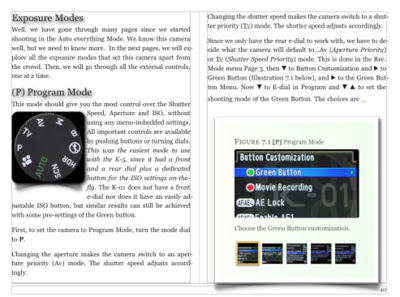
Here are a few "Screen shots"


Monday, February 27, 2012

Ah! Technology, the more it changes the more it’s the same. New iBook for the Pentax K-01


Hi Photographer friends,

As I mentioned in my previous post, I am currently writing a new e-book. This time, it’s about the new Pentax K-01 that was announced in February with a start of delivery at the end of March.

We already heard all kind of negative comments about this new camera, "it's too Boxy", "It looks like a brick", who would want a bright yellow camera?", "Who is Marc Newson anyway?", "It has no EVF (Electronic ViewFinder) or OVF (Optical ViewFinder)  so it's useless", and many other comments.

As for myself, I cannot judge anything by looks only. Pentax has always been on the forefront of technology, daring in their designs, and here they go again. The K-01 is certainly daring or pushing aesthetic to a new level…but why can't aesthetic and functionality live together?

As I am writing my book, I am finding out a lot about the camera, and the specifications are pretty impressive.  We, as human, tend to want the newest technology while we don’t want things to change. It’s an oxymoron, a paradox, or call it what you want, but that’s really the way we are.

The K-01 is a blend of new technology, new aesthetic, bold design, and that’s what the upcoming generation will gravitate to.  I often let other people use my DSLR to take a picture of me or my family or friends as a group, and the first thing they do is to hold the camera like a point-and-shoot, trying to compose the picture by looking at the LCD screen.  They are at lost when I tell them to look in the viewfinder.

Apparently, the most used camera is the world is the iPhone or Smart phones.  That leads me to believe that the new generation won’t care about an EVF or OVF.


So…my new book or e-book will actually be published first as an iBook, for the Apple iPad.

Why would I do that?

Because Apple introduced “iBooks Author” in January and the concept is an absolute game changer.  You get to read a book while experiencing multi-media. Yes, you can view videos, image galleries, interact with images and diagrams, follow Internet links, search the Internet, highlight passages, write and save your own notes, and more. Check it out here and here. I can’t think of a better way to learn.

My new iBook will be available on the Apple App Store for the iPad. I will make a version also available as a PDF file, just like my other e-books.  The iPad 2 has been selling at the rate of a little over one million per week. Not everybody that has an iPad 2  will  buy a Pentax K-01, but many will, I hope.

I am setting up my iBook as a template that will be used for many future “Everything you need to know…and then some” series of camera “How to books”, and this time, for all major brands of cameras.

Ah! Technology, the more it changes the more it’s the same.

Thanks for reading,

Yvon Bourque

Saturday, November 5, 2011

It's easier than ever to read your favorite photography magazines with the iPad 2, iPhone and other smart phones and tablets. It's cheaper too.


Email: brqyvn@gmail.com

Hi Photographer friends,


With tablets and smart phones taking a bigger  share of what people are using to surf the internet, it stands for reason that more site would cater to these devices. The world of applications (Apps) for Apple and Android are covering just about anything one would like to do on the internet, and that from your portable device. I happen to use an iPhone 4 and an iPad 2, but is works pretty much the same way with all portable devices.

Looking back just one year ago, I used to visit the local Barnes and Nobles store weekly to see what new photography magazines had come in. I don't like to subscribe to magazines as every time I did, we would move away and the interruption of home delivery of my magazines would be disrupted for months.

Now, that's all changing rapidly. Most magazines are available on-line. Prices per issue or one-year subscription are reasonable, and certainly cheaper than single printed copies at the magazine stands. You don't have to drive anywhere to get them, you can get them as soon as published, and it doesn't matter if you are in California or London, you get your magazine. It seems that the most popular site is called "Zinio"

Another clear advantage of getting your magazines on-line, is that the magazines, being digital, are also interactive. You can log on to links within the magazine and come back to the same page you left. Some magazines include videos that you can just click from within the pages. It's a whole new experience. You get text, pictures, and sometimes, videos and sounds.

Reading a magazine in bed is probably what many people like do. With a printed magazine, you have to leave some lights on, which doesn't always works well if you have a spouse or partner. Reading  a portable device in bed is not as disturbing to others, and you can even dim the screen brightness.

So like it or not, I can already see that what has been predicted for years, is happening. Book stores will pretty much go away and eventually very few reading material will be printed. A few generations will argue that printed books are better, but when today's children reach maturity, it will be mostly digital in some form or another. Science Fiction of yesteryear is today's reality. Who knows what it will be like in fifty years from now... holograms?

Thank you for reading,

Yvon Bourque

I use Zinio.

Most Photography magazines are publishing on-line.

These are some of the magazines I subscribed to.

The image herein is not representative of how clear it is on the iPad. I took the pictures during the day with my iPhone.

You can view one page at a time (portrait) or two pages at a time (landscape).


Sunday, July 3, 2011

The Pentax K-5 e-book is now available for iPad, iPhone and iTouch.


Email: brqyvn@gmail.com

Hi Pentaxian friends.

For some time now, I have received emails to make the K-5  e-book 100% compatible with the Apple products and other tablets and mobile devices. i.e. iPad, iPhone and iTouch. The K-5 e-book is my last e-book and I still have the current files on my new computer. I will search for the other e-books, but after my hard drive crashed, I lost many of my precious files.

It's not that the current e-books do not load on the iPad and iPhone, but some of my readers have reported that some of the images did not appear. There are many ways to fix this compatibility problem, check here, but with the K-5, I reformatted the whole book so that all the images would be viewable.

The iPad and iPhone have the capability of bookmarking, referring to a table of contents, search within the e-book or on Wikipedia. It can also easily link to other sites and come back to the e-book. I would say that the iPad and iPhone are at the top of the list for mobile devices. However, it seems that "Droid" mobile devices can read PDF files better than the Apple Products.

Let me (us) know what device you use for reading the e-books.

Thank you for reading,

Yvon Bourque

Wednesday, May 18, 2011

Venting about the Barnes and Nobles Nook Color. Like they say, if you don't have an iPad...well...you don't have an iPad.

Email: brqyvn@gmail.com

Hi Pentaxian friends.

A while back, around January, I purchased a new Barnes and Nobles Nook Color. At $249.00 it seemed to be a good alternative to the iPad, since it was giving access to the Internet and emails. Many applications were to be introduced in January. It was going to be a good Droid tablet. Although it is sluggist and slow, and that the touch sensitive surface is crappy, and that there are not that many books available, and that there are only two photography magazines you can purchase, and that the apps are mostly for children, it was okay for me. But...when I purchased a new book and an app, everything went down to hell. They took my money from my credit card but the book and app never dowloaded. The spinning wheel kept on spinning with no delivery of anything.

Finally, today I went to the Barnes and Nobles store in Florida, where I'm staying for the week. The Nook rep at the book store called the "Special" telephone number  to get my Nook fixed. They made him reset the nook completely and then all books, magazines and applications I already purchased were to be automatically be reloaded. Well, it didn't quite work out that way. They had me reinter my email, and wanted me to enter the credit card again. "I don't think so" I said, since the credit card had already been charged. I was afraid they would charge it again. "There nothing I can do" he said until you do and then you will have to call this 800 number to get the magazines, books and apps you already purchased. So I told him I would sell the Nook on EBay and purchase an iPad, which I should have purchased to begin with.

So, if you were contemplating buying a Nook, think twice. It's a piece of crap and has the a rotten servicet.

I will save my money and buy an iPad. Like they say, if you don't have an ipad...well...you don't have an ipad.

Friday, November 12, 2010

Help needed uploading any of my e-books (PDF Files) to the iPAD and the Amazon Kindle.

Visitors to this page also like "Recommended Reading" on the right column. Email: brqyvn@gmail.com

Hi Pentaxian friends.

I have several buyers of my e-books that would like to upload their e-book(s) to the iPAD or the Amazon Kindle, and other reading devices as well. (Sony, Nook, etc) My e-books are all in PDF format. I use the Microsoft Platform as my main computer and I am not all that familiar with the Apple products. I have some readers that have the iPAD but run Microsoft as their main computer.

Any help would be appreciated. I know there are Gurus out there. Let us ear from you.

Thank you in advance from all the people you will help.